Connecting your Shopify store to a Seel account empowers you to offer your customers the best post-purchase guarantees. This is a required step for you to enable any Seel post-purchase guarantees including the Return Assurance. You will be asked to do this during the system onboarding process.
If you haven't got a Seel account, read this article to see how.
Steps to connect your Shopify store
- Go to Seel Open Platform. If you haven't connected your store yet, you will be redirected to connect store page automatically
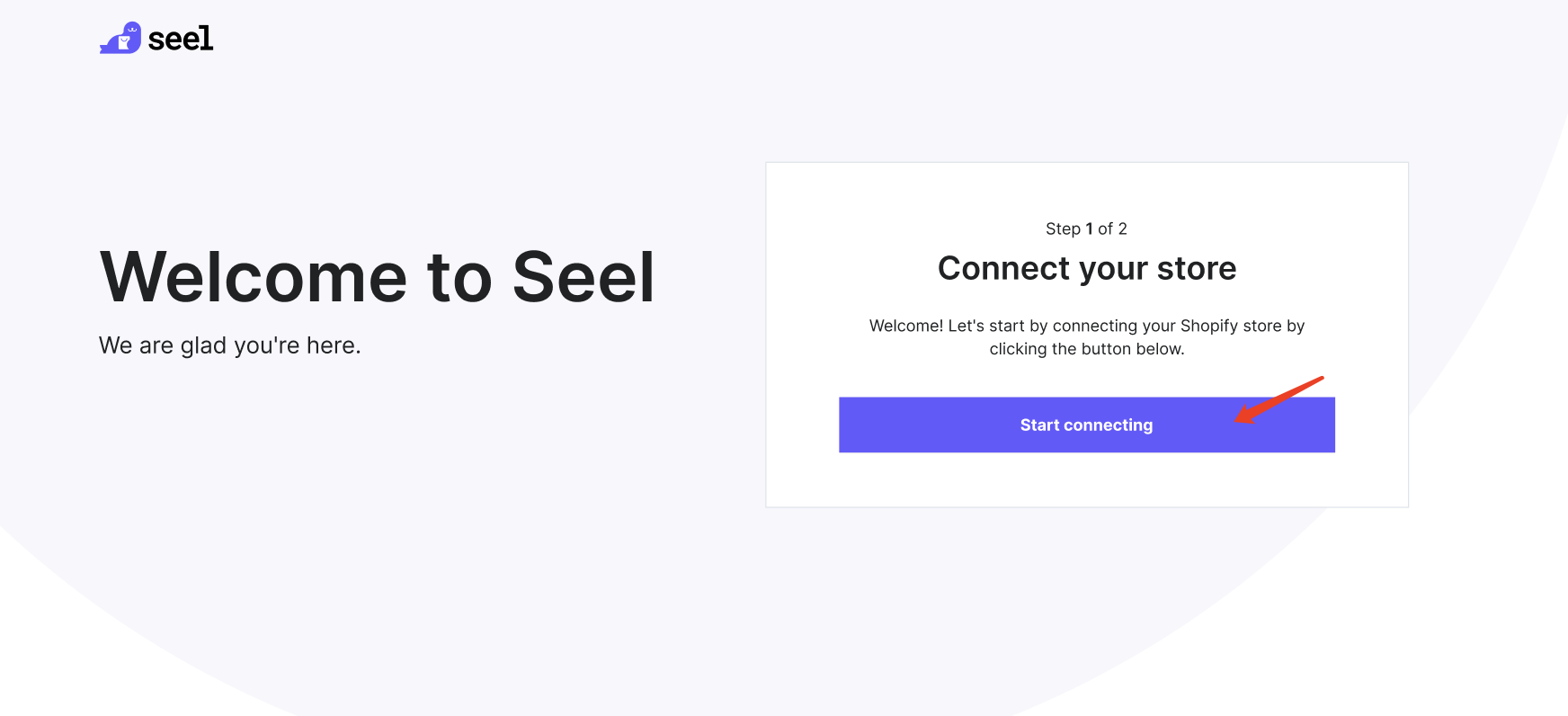
- Click 'Start connecting'
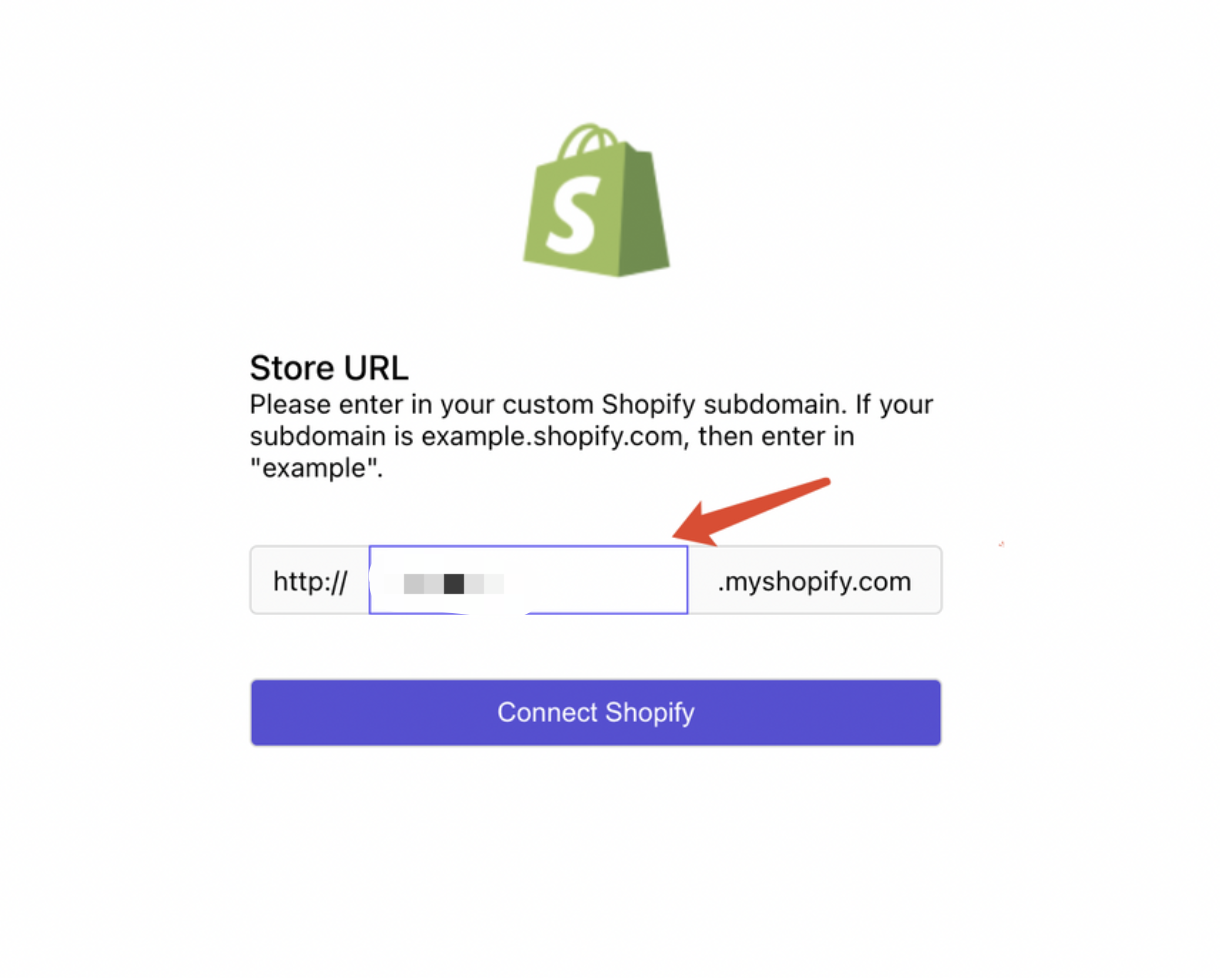
- Enter your Shopify store URL and click 'Connect Shopify'
- Then you will be redirected to the Shopify permission request page, click 'Install app'
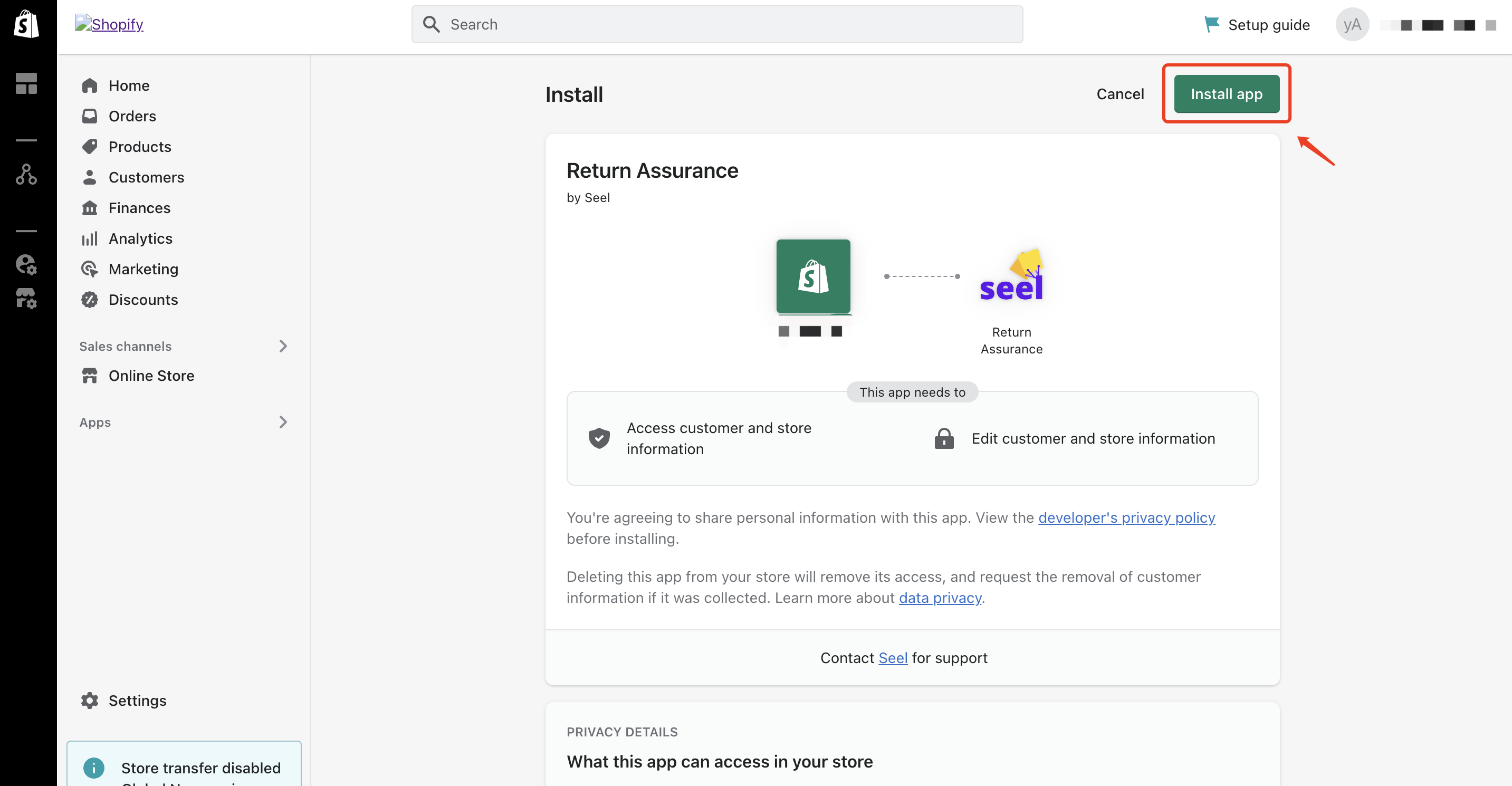
- Once the app is successfully installed, you will be redirected to Seel Open Platform
- Now you are good to apply for and set up Seel products there (Read this article to learn more)
Comments
0 comments
Please sign in to leave a comment.