Once you have connected your Seel account to your Shopify store, you can set up Return Assurance by taking the following steps:
- Go to Seel Open Platform and log into your Seel account with your email address. (Read this article if you don't have an account or you don't know how)
- Click "Apply" in the Seel Open Platform dashboard
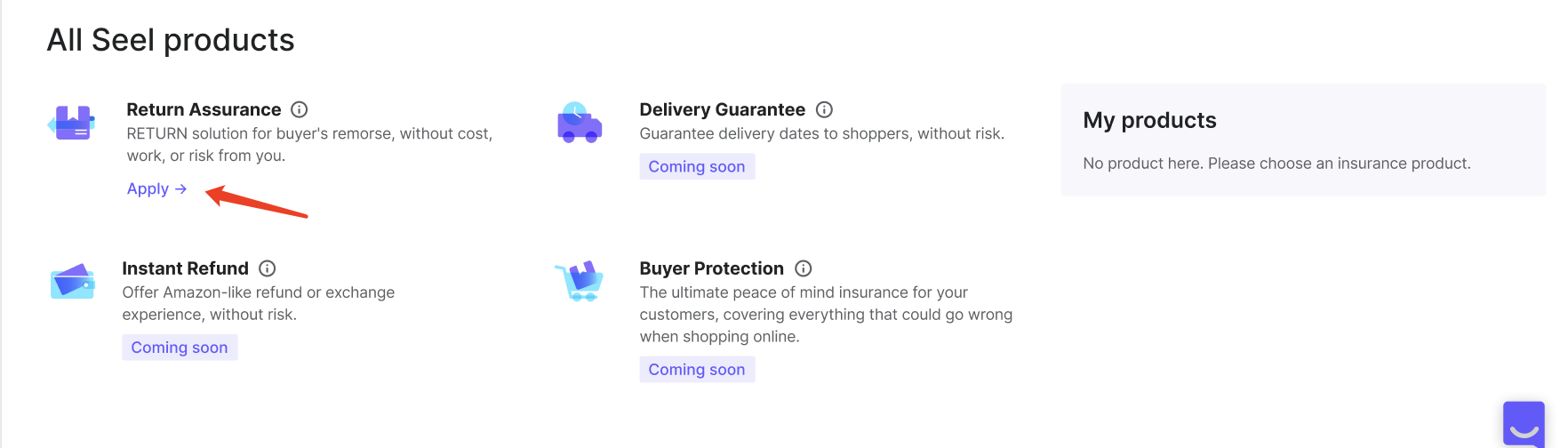
- Fill in the application form to configure Return Assurance settings based on your return policy and submit the application
- Seel team will then review your application and get back to you within 2 working days. Once approved, the Return Option widget will be inserted into your checkout flow and go live on your selected date and time.
🔧 Return Assurance settings
In the application form, you will need to configure the following settings
Return method
Select the return method. You have two options to choose from:
- Return to Seel (recommended)
- Return to Merchant
You may read this article to learn more about the return methods
Eligible products for Return Assurance
Choose the products that you would like Return Assurance to be applied. You can choose:
- All products
- Selected products
By choosing "selected products", Return Assurance will only be applied to the products you specified. You may apply Return Assurance to products in specific collections, or to products with discount greater than a certain value.
- Specific collections
- Input the collection titles that you would like Return Assurance to apply to, e.g., Final Sale
- Collection titles at your store can be found via Shopify admin > Products > Collections
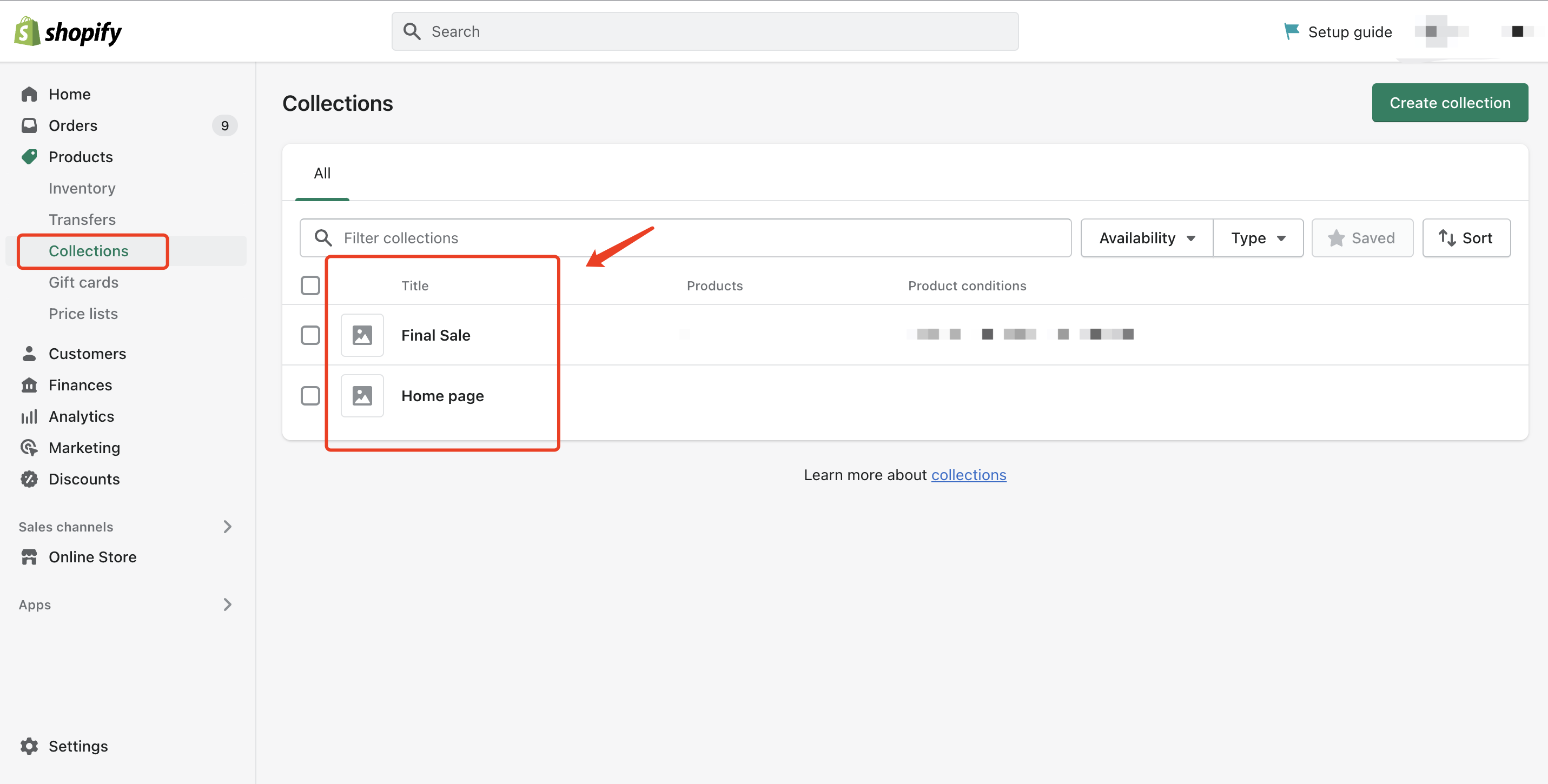
- Specific product discount
- Enter the minimum discount (%) for products to be eligible for Return Assurance (0-100) (e.g., Return Assurance will apply to products with discounts >= 50%)
- Seel uses the percentage difference between "Compare at price" and "Price" in your product detail to calculate discount
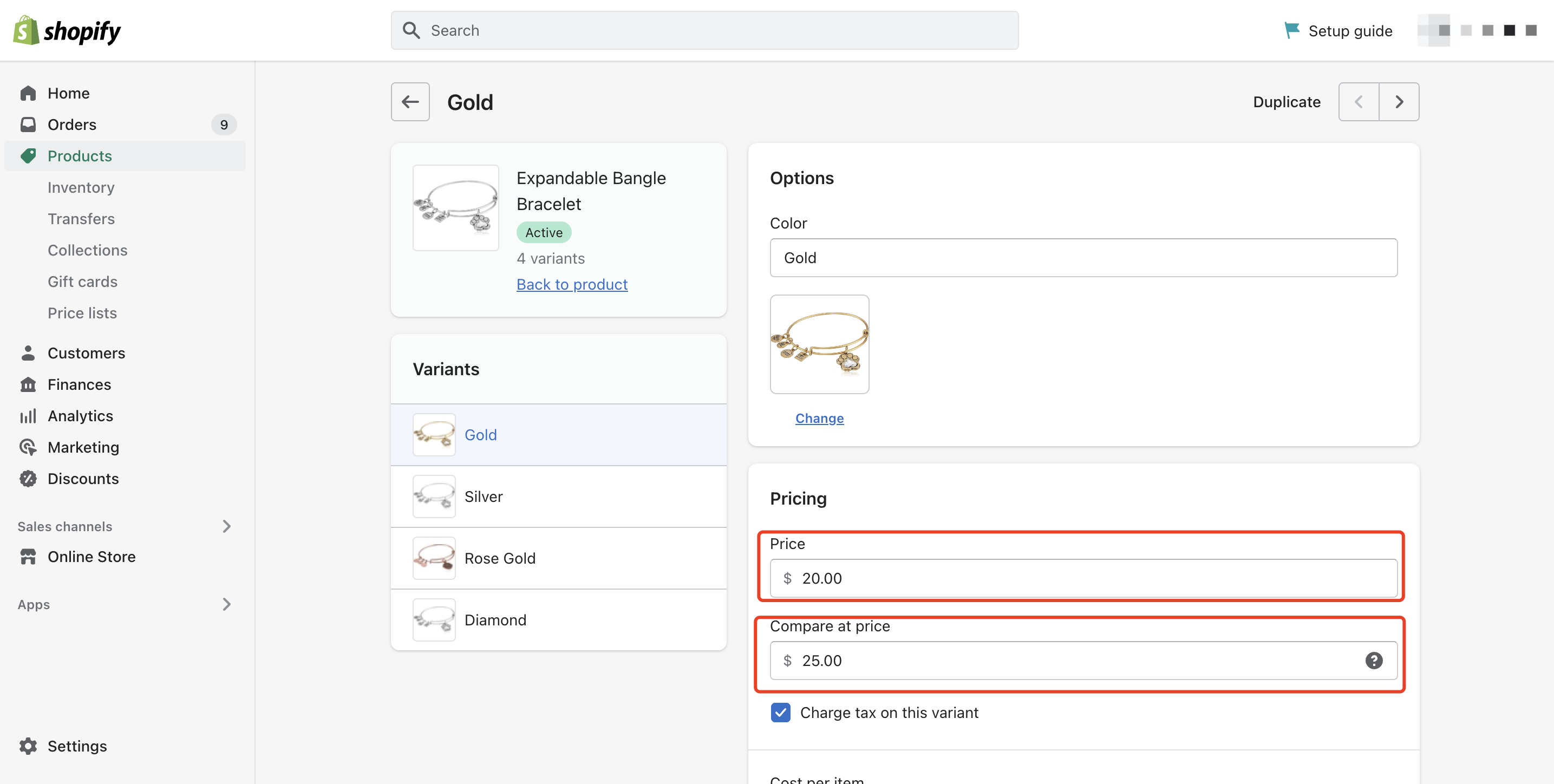
- Set the Return Option widget toggle
- Decide whether the Return Option widget will be on or off by default to your shoppers.
- Pick a go-live date
- This is when the Return Assurance will go live and be added to the checkout flow in your store.
Comments
0 comments
Please sign in to leave a comment.